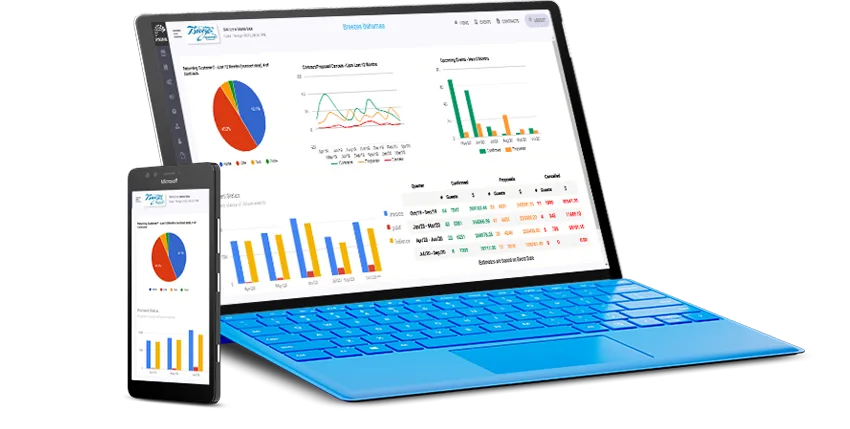
Why cloud beats a proprietary till
Traditional POS ties you to specific certified hardware — one register, one vendor, one point of failure. Because TilesPOS runs in the browser, the "register" is whatever device is handy: the showroom desktop, an iPad walking the racks with a customer, or your phone checking stock from a supplier's warehouse. If a device dies, log in from another one and keep selling.
Barcode scanning without the drama
Barcoded items make checkout and stock counts fast and accurate. Most retail barcode scanners act as a keyboard — plug in via USB or pair over Bluetooth, scan, and the code lands in TilesPOS like typed input. If you already own scanners, bring them; if you're buying, any reputable keyboard-wedge scanner will do. Unsure about a specific model? Ask us before you buy.
Starting fresh? Keep it minimal
A laptop or iPad you already own, one barcode scanner, and a printer is a complete TilesPOS setup for most single-location stores. Spend the hardware budget you just saved on stock instead — and if you're comparing systems, our buyer's guide covers the questions that matter more than hardware.
POS hardware FAQs
What POS hardware do I need to run TilesPOS?
Any modern PC, Mac, iPad, Android tablet or phone with a browser. A typical single-store setup is a device you already own, a standard barcode scanner and a printer — nothing proprietary.
Do I need a special barcode scanner?
No. Any standard USB or Bluetooth scanner that works in keyboard-wedge mode types the code straight into the browser, so scanners you already own usually work.
Can I run the POS on an iPad?
Yes — TilesPOS runs in the browser on iPad and stays in sync with every other device on the account, so you can quote from the showroom floor.
Try it on the devices you already own
Free 30-day trial, no credit card, nothing to install.